The Debuff Curing System is another of CTRA's really powerful features for classes capable of debuffing and curing. It allows you to dynamically react on certain debuffs and/or system-messages. As stated in the help-text ingame it works quite good out-of-the-box, but if you previously were using Decursive a little tuning will be neccessary to "feel at home" again.
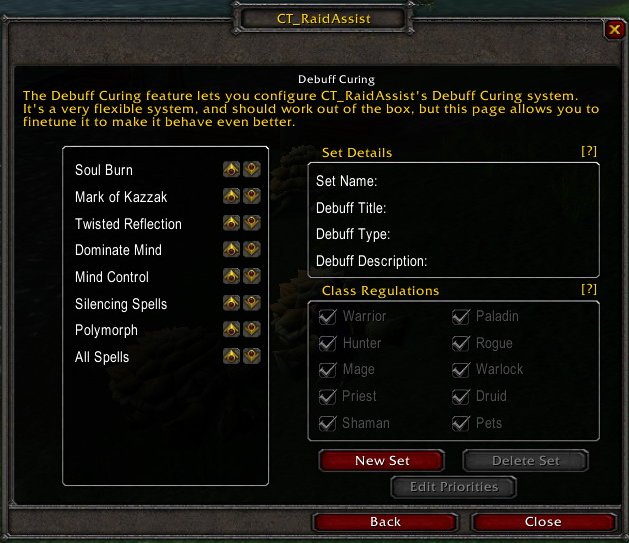
I do not recommend modifying the already existant option-sets, besides "All Spells" (which i will guide you through now), unless you really know what you are doing.
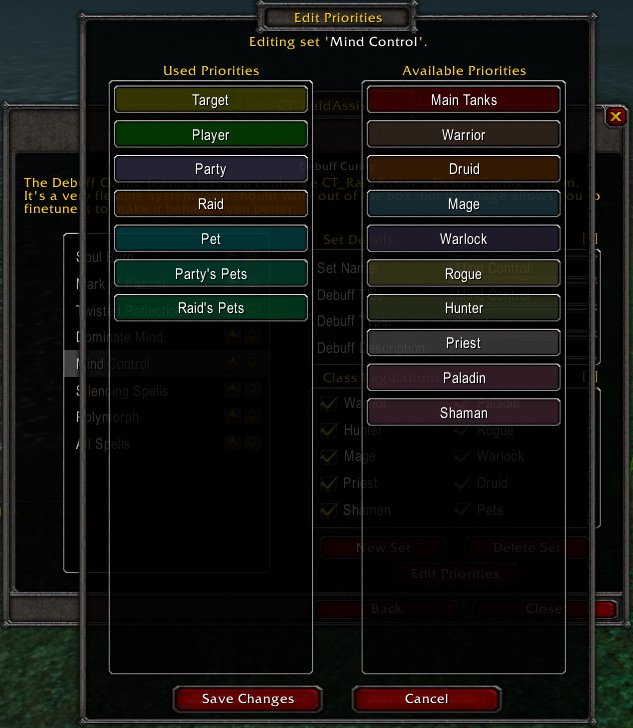
On the left pane you can see the currently active debuff-priorities, on the right pane those that are still available. The list is parsed from top to bottom, which in this example means, you will debuff your current target first, then yourself, then your own party in no particular order, then the rest of the raid, and so on.
Editing the currently active priority-list is just a matter of simple "Drag'n'Drop" from the right to the left pane into the preferred slot.
My personal preference for curing poison for instance would be:
- Target
- Player
- Priests
- Druids
- Main Tanks
- Party
- Raid
- Party's Pets
- Raid's Pets
This means i first heal my target, then myself, then the healers, and so on. Why? Because Main Tanks tend to live a bit longer than healing classes, no matter how evil the DoT is. But because i still have Target on top of the list i can easily switch priorities dynamically by selecting another target.
Other classes may have other priorities and players may want to adapt those settings to suit their own needs. You will see the power of this feature after playing a bit with it. It can save you a ton of clicks and/or keystrokes and with that valuable time, if configured correctly.
As a side-note to the more advanced users: The Debuff Curing System is fully capable of processing Perl-style RegEx.